








An AI prompt gives a model instructions for a task. An AI agent uses a model, tools and feedback to work through a goal across multiple steps. Agents still use prompts. The useful choice is how much of the process the system should control, what it can access and how you will check its work.
At Growth Cab, repeated corrections led me to write eight standing rules for the agents helping with research, outbound and reporting. The original LinkedIn post drew 382 reactions and 130 comments. Here is the practical difference between prompts and agents, followed by the rules you can adapt to your own workflow.
 in
in
“Claude kept saying the work was done. It wasn't. So I wrote 8 rules into the file it reads first.”
AI Agents vs Prompts: The Practical Differences
A prompt can be saved, reused or included in persistent project instructions. An agent can also perform a one-off task. Neither repetition nor a rules file defines an agent. What matters is whether the system can choose actions, use tools, inspect results and decide what to do next within the boundaries you set.
| Decision | Prompted task | Fixed workflow | Agent |
|---|---|---|---|
| Control | You request and review an output | Code defines the sequence | The model chooses the next action |
| Example | Draft a cold email from supplied facts | Enrich a record, then route it | Research an account and resolve missing evidence |
| Review | Check the answer | Check each handoff | Check actions, evidence and the final result |
| Main risk | Unsupported or generic output | A brittle sequence | Errors compounded across actions |
For the underlying distinction between predefined workflows and model-directed agents, see Anthropic's guide to building effective agents. A useful rules file supports either approach; it does not guarantee memory or correct execution.
When a Prompt Is Enough
Use a prompt when the inputs are ready and you can judge the answer directly. For example, provide a verified company announcement, your offer and a buyer profile, then ask for a draft email. You still check the claims and decide whether to send it. Adding autonomous browsing or sending would create extra work and permissions without necessarily improving that draft.
When an Agent Helps
An agent becomes useful when the next step depends on what it finds. In account research, it may open a company site, discover a recent launch, check a second source and revise its initial hypothesis. Give it a clear stopping rule, a research budget and a way to report uncertainty. Keep prospect contact and other consequential actions behind explicit authorization.
To apply this distinction to sales, follow the account-research-to-email-draft workflow. Research can branch as evidence appears, validation can follow fixed checks, and drafting can use a prompt with approved facts. The same process can use all three approaches while leaving the final send with a person.
The Eight Rules I Actually Wrote
- Show evidence before reporting completion.
- Try to disprove the result before submitting it.
- Propose reusable instructions when a correction reveals a recurring issue.
- Get confirmation before irreversible actions.
- Complete authorized, reversible work without unnecessary interruptions.
- Surface missing inputs and blockers early.
- Turn repeatable methods into reusable tools.
- Respect the user's workspace and avoid interrupting their screen.
These rules describe how work is checked, when to ask for input and how improvements are reviewed. You can include them in a saved prompt, project instructions or an agent configuration. Persistent storage reduces repetition only when the tool loads the instructions correctly. Test that behavior before relying on it.
The first two rules make verification part of the task. Requiring evidence does not prevent every false completion claim, so check the evidence itself. For an outbound sequence, inspect the live status and sent count rather than accepting a confident summary. Keep drafts, queued messages and confirmed sends separate in the report.
Rule three needs an owner. Save useful corrections in the instruction system your tool actually loads, review them for conflicts and test a fresh run. A file on disk is not proof that the agent read it. Keep sensitive information out of reusable templates and do not let a single failed run turn into a permanent rule without checking the cause.
What AI Agents vs Prompts Changes on Revenue Work
Translate this to a GTM team and the stakes get concrete. Prompting an AI to write a cold email is fine. It is a single act with a human reading the output before it goes anywhere. Now let that same system send on your domain every morning and the calculation changes completely, because nobody is reading every message and the cost of a bad one is your sender reputation.
The rules we run on client work look like the eight above, translated. Never claim a campaign is live without pulling the live status back. Verify an email exists before it enters a sequence. Ask before anything that touches a real prospect for the first time. Do the research, the drafting and the list building without asking, because all of that is reversible and asking permission on reversible work is how you end up doing it yourself.
The effect is not that the AI got smarter. It is that the number of things I have to personally check dropped, because the checks moved into the system. That is the actual return, and it is a boring operational return rather than a magical one.
Where the AI Agents vs Prompts Framing Stops Being Useful
Three places, and I would rather say them than sell you a system.
The first is simple work. If you are writing a single job description or summarising a supplied document, a prompt with human review may be enough. A complex one-off task can still justify an agent. Judge the setup by the decisions and tools the task needs, and include the cost of review and maintenance.
The second is bad judgement. Rules constrain how work gets checked. They cannot rescue a task that was wrongly defined. If your outbound is aimed at the wrong accounts, an agent with eight rules will pursue the wrong accounts more reliably and with better documentation. The rules layer sits on top of strategy and never replaces it.
When the task itself is badly defined, fix the brief first. My four-part agent brief covers a definition of done, constraints, one excellent example and a self-check.
The third is maintenance. The file is a living thing. Ours has been rewritten dozens of times, and rules that contradict each other produce worse behaviour than having no file at all. If nobody owns it, it rots. Budget the fifteen minutes a week or do not start.
How to Write Your Own
Do not sit down and draft a policy document. It will be abstract and the agent will ignore it. Instead, keep a note open for one week and write down every correction you give. At the end of the week you will have somewhere between six and twelve lines, and they will be specific, because they came from real failures rather than from imagination.
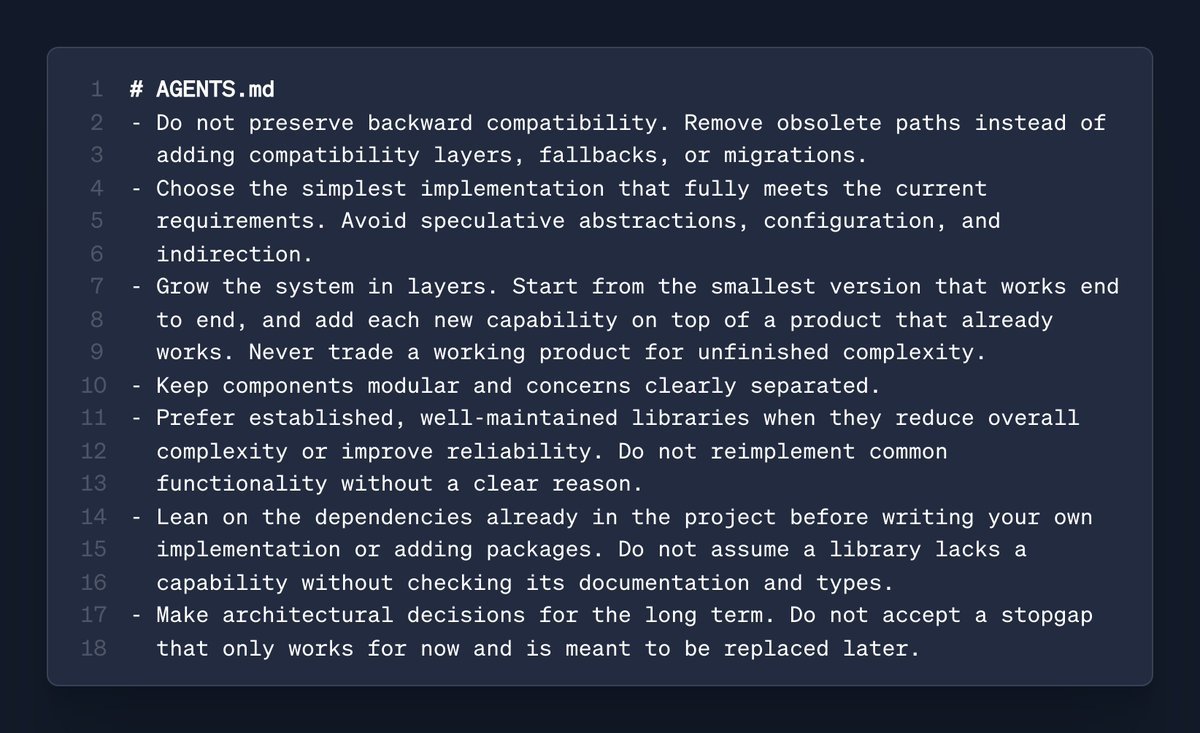
Put the instructions in the mechanism your tool supports, such as CLAUDE.md in Claude Code or AGENTS.md in tools that read it. A generic chat may use project instructions instead. Confirm the supported filename, loading scope and precedence in that tool's documentation. Test with a harmless task and inspect the output before connecting real operations.
Choose the smallest system that completes the job reliably. Start with a prompt, use a fixed workflow when the sequence is predictable, and add an agent where decisions depend on intermediate results. Persistent instructions help preserve your expectations, but the evidence from actual runs tells you whether the system follows them.
Start with the eight-rule Markdown template, adapt its permissions to your environment and verify that your tool loads it.
When an agent is the right call, my guide on how to build an AI agent with Claude shows the parts, the order and the limits.
For the next implementation step, read how to delegate tasks to AI agents and define the expected evidence before the run starts.
If several agents are involved, use the coordination principles in how to manage multiple AI agents to make ownership and reporting explicit.
Every Wednesday, AI Frontier gives you one signal, my read on it, and one practical play from the AI and GTM systems we run inside Growth Cab, all in under five minutes. Drop your email below and confirm your subscription to get the next edition. And if you think I am wrong about where the rules layer breaks, tell me on LinkedIn. I answer everything.


