








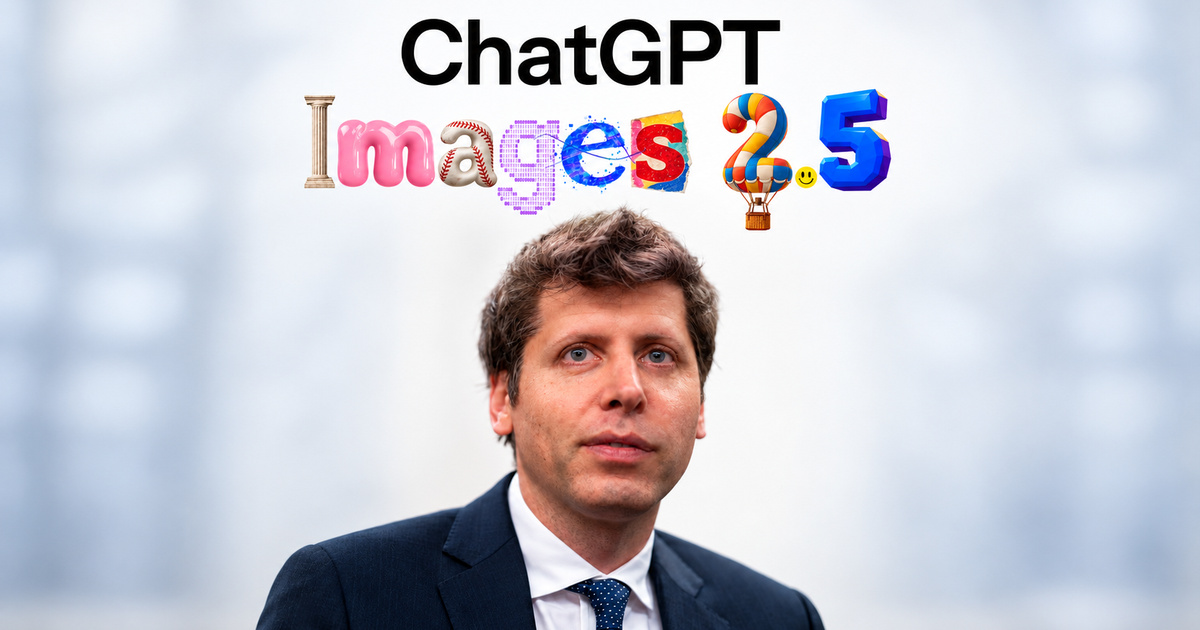
Yes, ChatGPT can edit photos. Upload a photo or open an image ChatGPT made, then describe the change in the chat. For a local fix, open the editor, choose Select, highlight the area and describe the edit. OpenAI lists ChatGPT Images on every plan and on web, desktop and mobile, with the tightest limits on Free.
The hard part is keeping what should stay. A fluent edit can quietly change a face, a logo or a label you never mentioned. The method below is the one I use on real assets: one change per pass, a written list of what must stay, and a check before anything gets published.
I wrote about ChatGPT Images 2.5 on LinkedIn, and the post drew 211 reactions and 106 comments. I checked every product fact in this guide against OpenAI's and Adobe's own pages on October 12, 2026.
 in
in
“OpenAI dropped ChatGPT Images 2.5. The edits are wild. Here are the 5 biggest changes from the launch:”
How to Edit a Photo in ChatGPT, Step by Step
- Add your photo to a chat: select +, then Add photos & files, or drag the image into the message box or paste it. To edit an image ChatGPT made, open it from Images in the sidebar or at chatgpt.com/images.
- For a change to the whole picture, such as a new background or style, describe it in the chat.
- For a local change, open the image in the editor, choose Select and highlight the area. Then describe the edit and name the area again in your prompt.
- To change the format, use Aspect ratio in the editor or write the ratio in your prompt.
- Use Undo and Redo to adjust the selection, Cancel to start over and Save when the result passes your check.
- On mobile, tap an image ChatGPT created to open it full screen. Tap Edit to describe a change, or tap Select, size the tool with the slider, highlight the area, tap Next and describe the change. You can also add comments on the image.
- Open the final image and choose Save to download it. Keep your original file outside the chat as the baseline.
OpenAI's Images in ChatGPT guide documents the editor, the selection tool, aspect ratios, templates and mobile editing. It also warns that highlights are not always precise and that an edit can extend beyond the selected area.
5 Real ChatGPT Photo Edits, Before and After
I ran five prompts from this guide in ChatGPT on October 12, 2026: one edit per photo in a single pass, with zero retouching afterwards. The photos are free-licensed, so you can check every pixel. The captions say what held and what ChatGPT quietly changed.
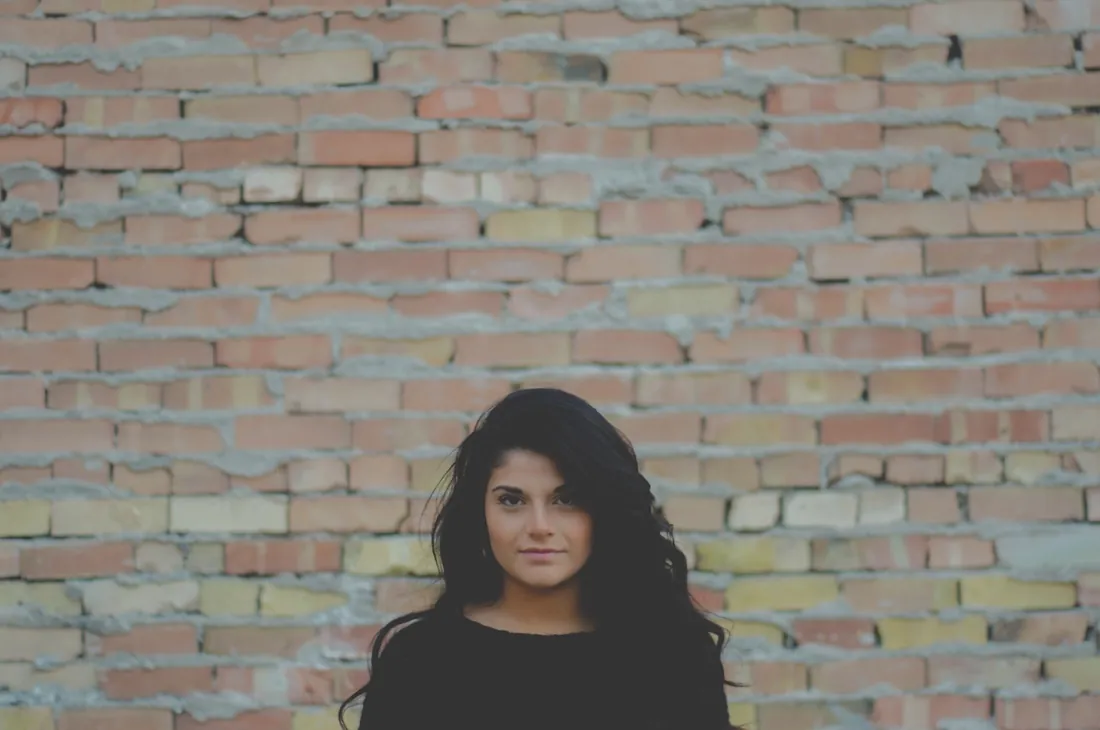 Before
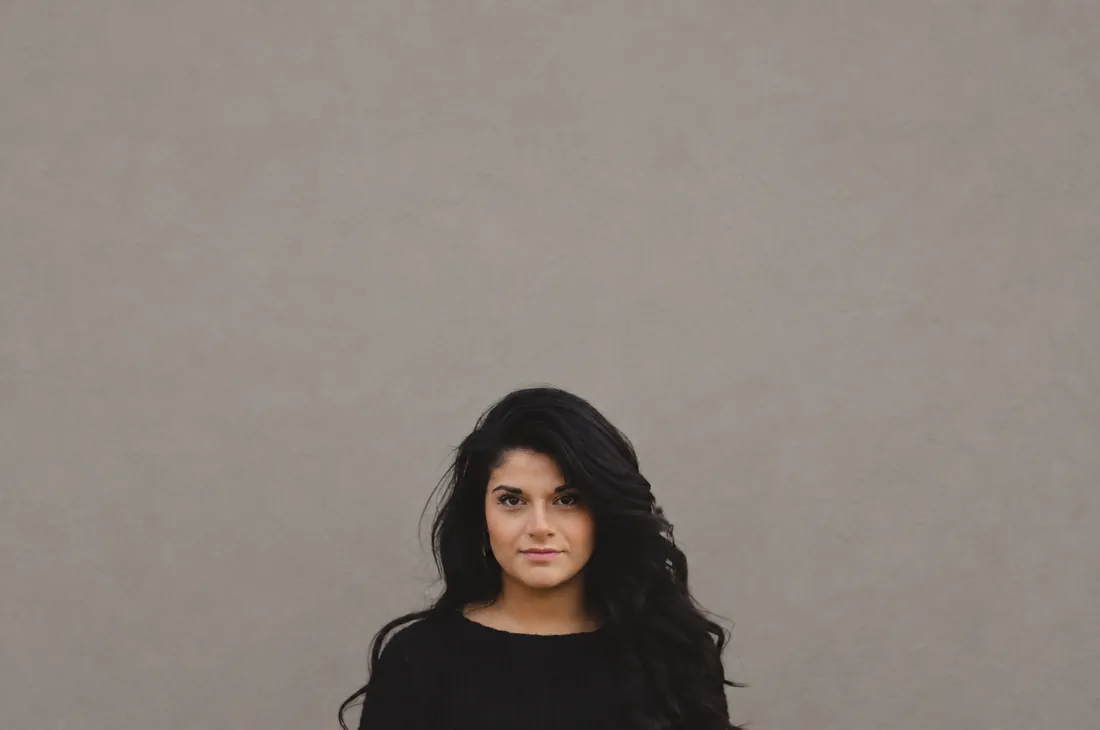 After
After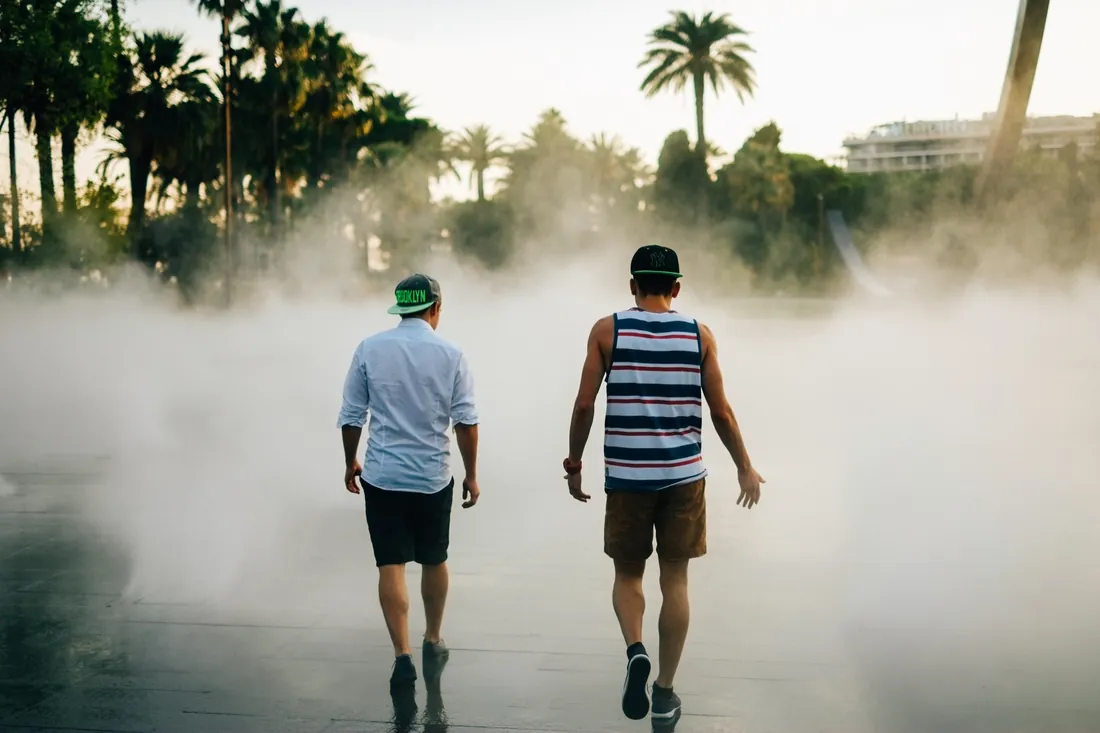 Before
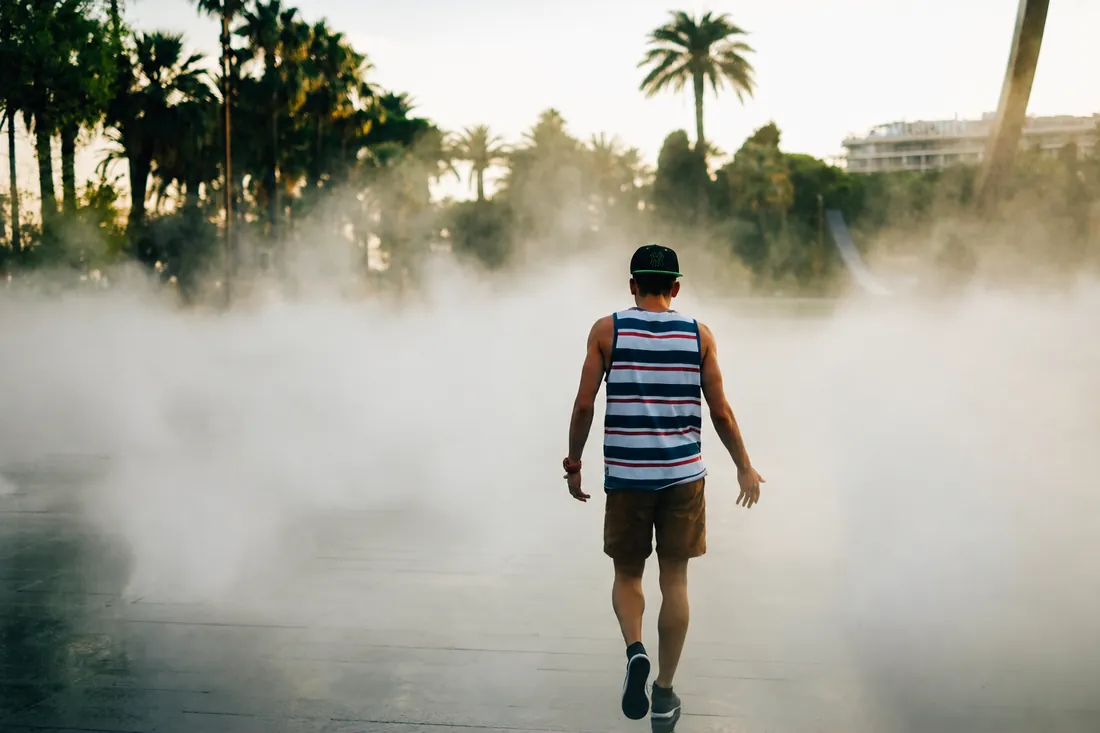 After
After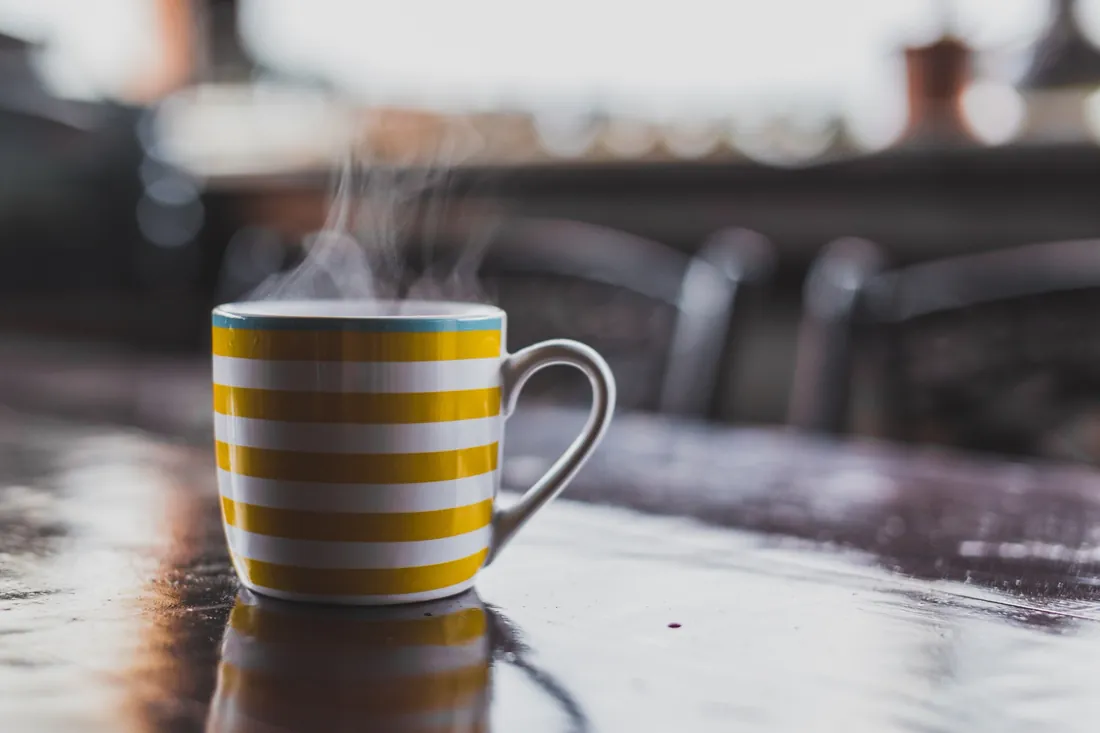 Before
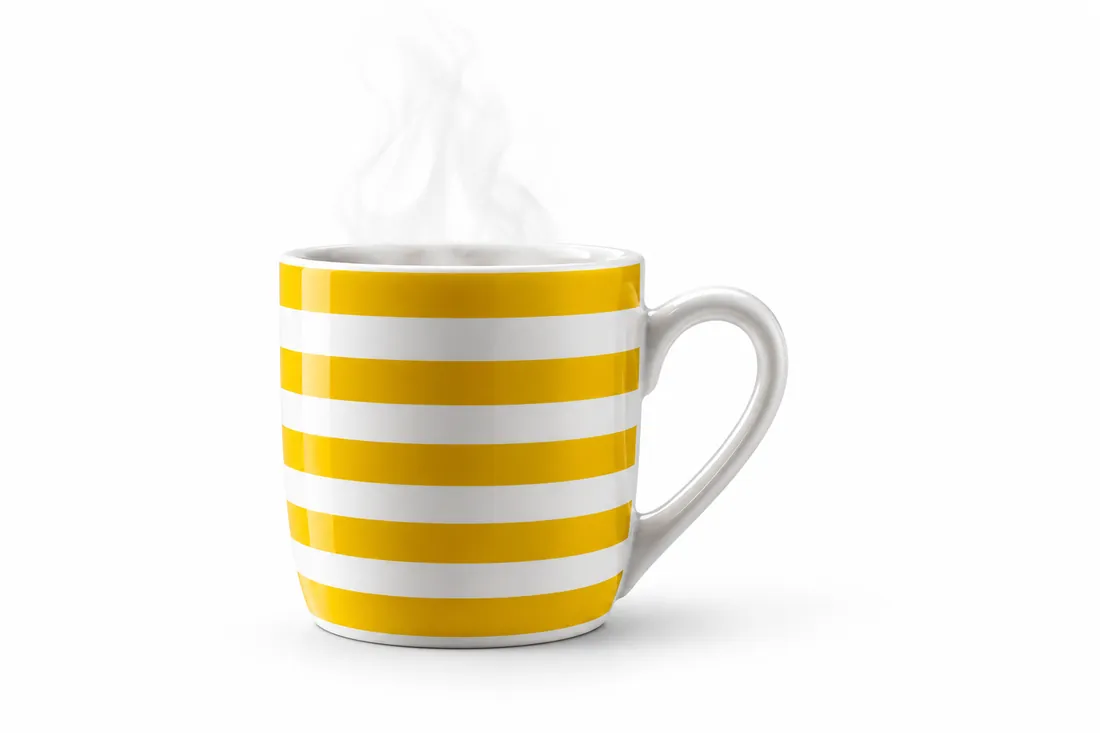 After
After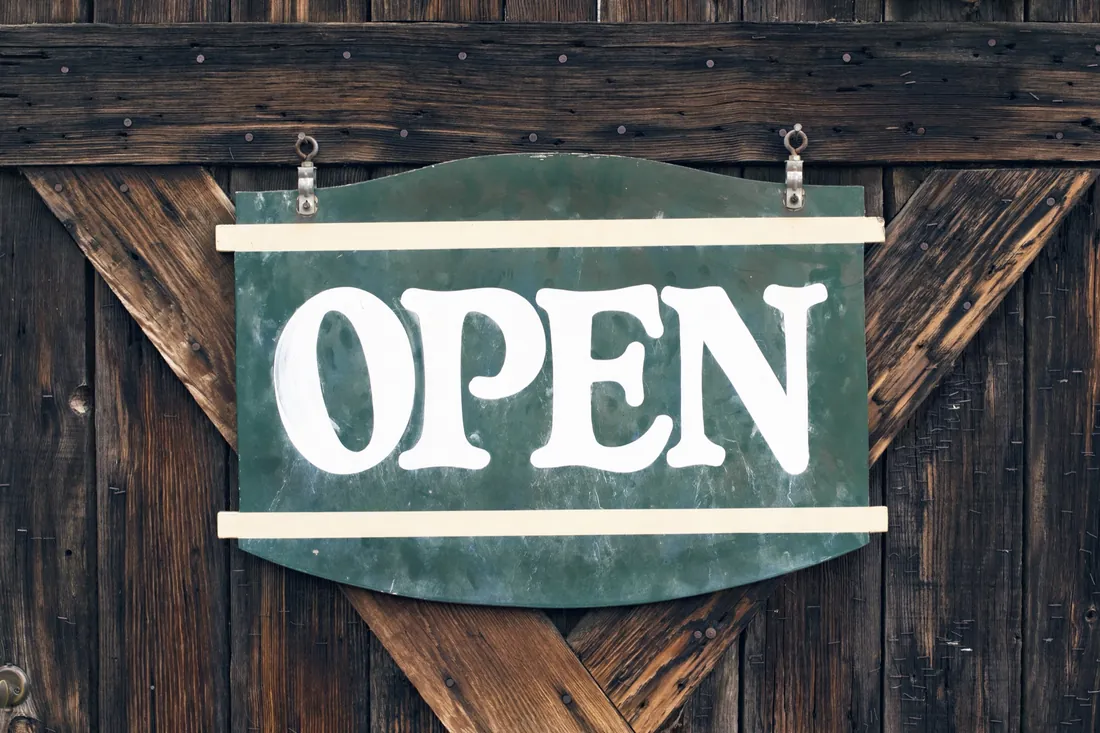 Before
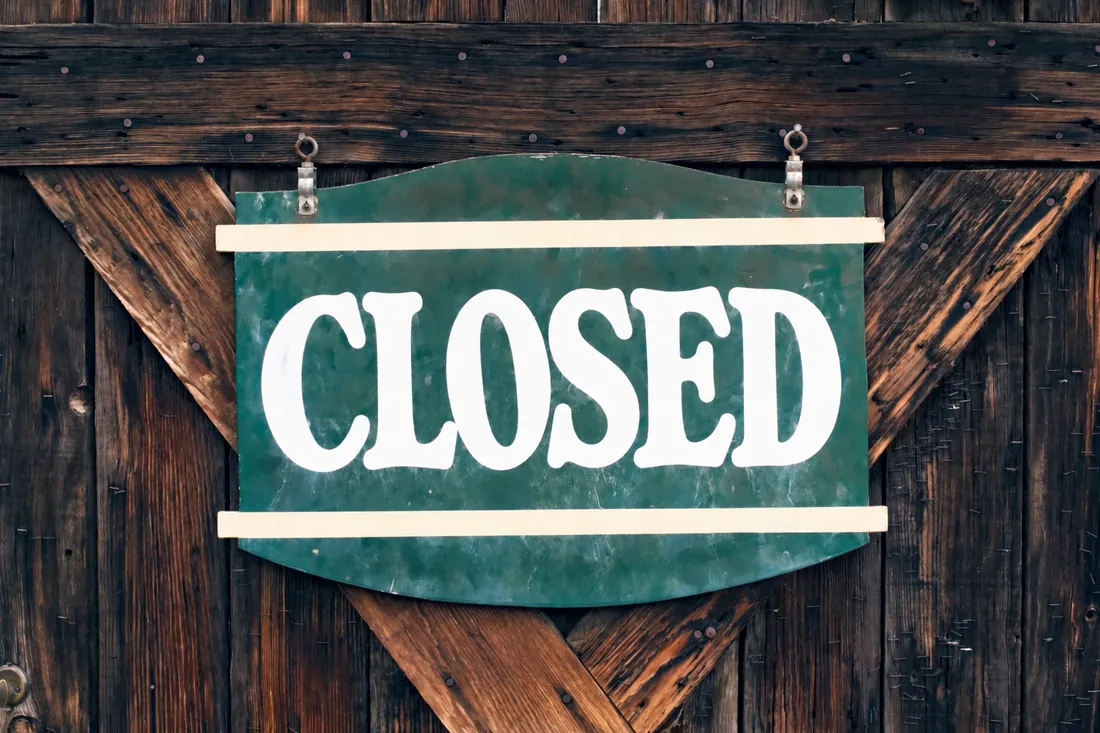 After
After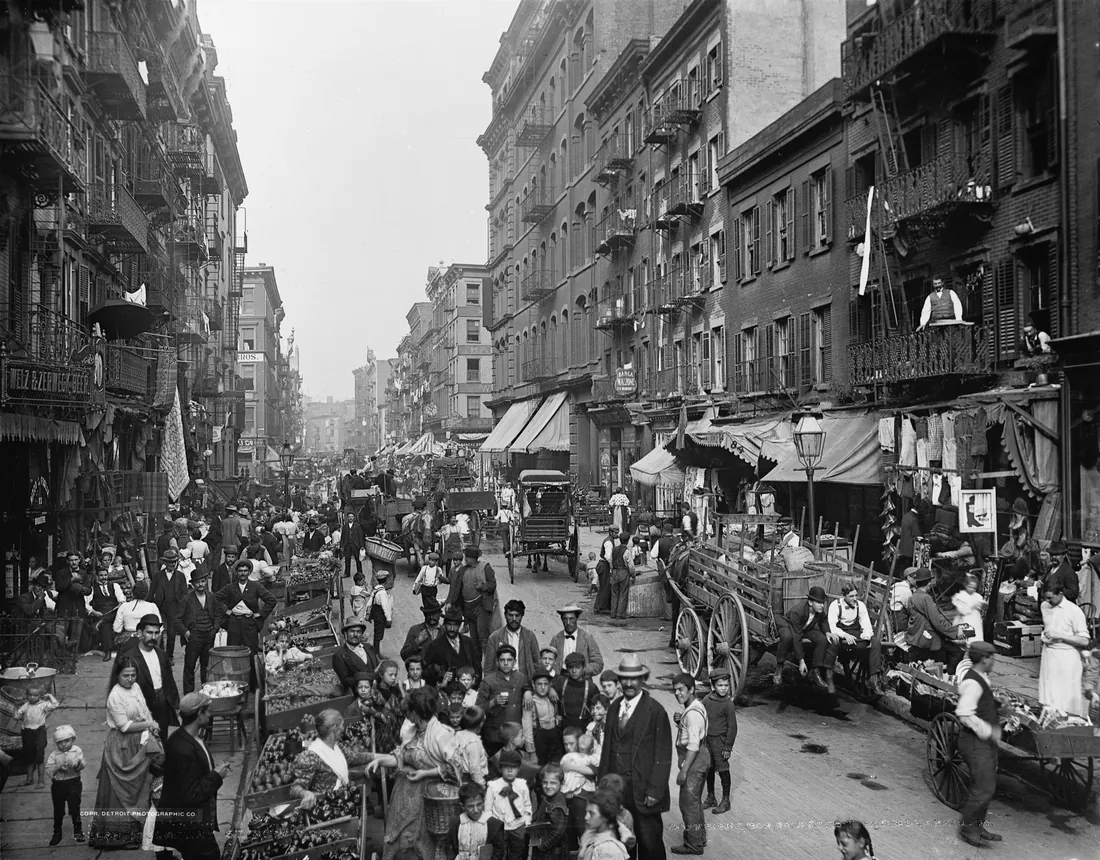 Before
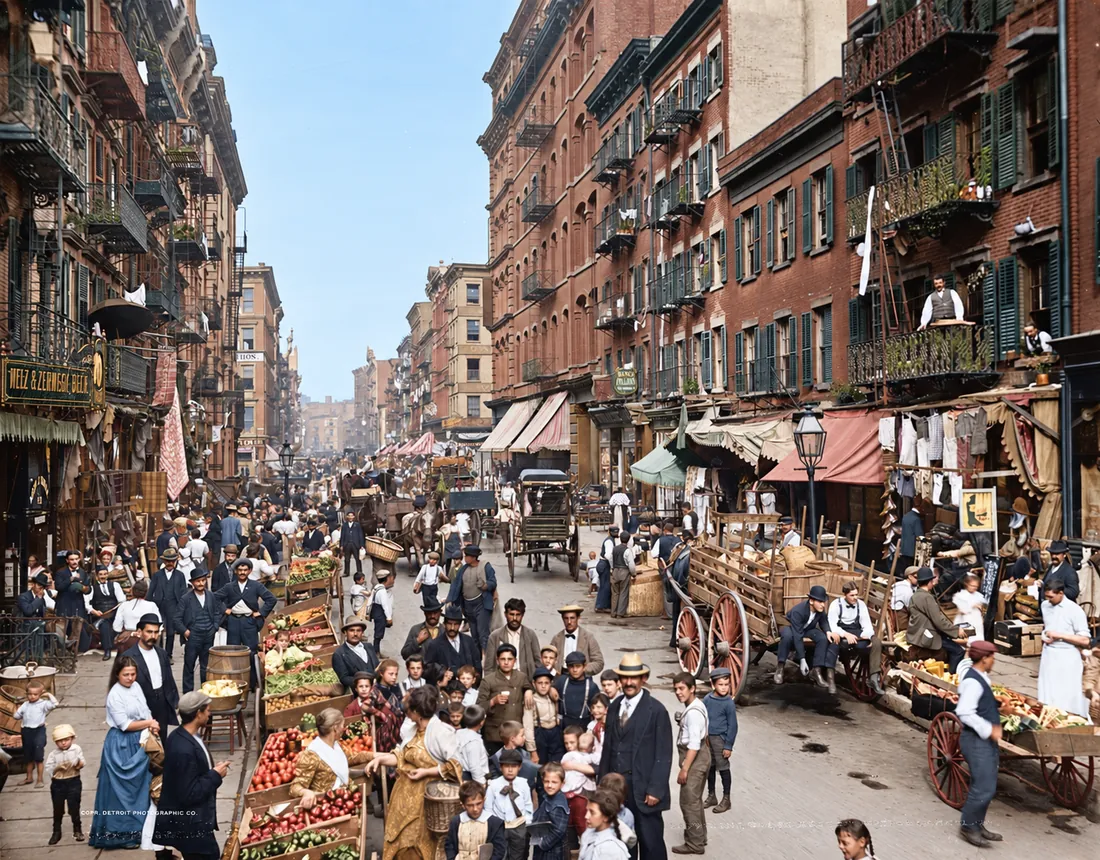 After
After40 ChatGPT Photo Editing Prompts (Copy-Paste Text)
Each prompt names what changes and what must stay. Replace the parts in brackets with your details. Keep one change per prompt and run them in sequence when you need several.
Portraits and headshots. Put the face, hair and expression in every keep list.
- Replace only the background with [a warm gray studio wall]. Keep the person, pose, clothing, lighting and framing exactly as they are.
- Light retouch only. Remove [the stray hairs across the forehead]. Keep skin texture, pores, freckles, face shape and expression unchanged.
- Turn this photo into a professional headshot with [a navy blazer and a plain light gray background]. Keep my face, hairstyle and expression identical.
- Soften the shadows under the eyes slightly. Keep eye color, eyelids, skin texture and face shape exactly the same.
- Use image 1 as the style reference. Change only the background and light in image 2. Keep the person in image 2 unchanged.
Backgrounds and scenes. Say what the new area should match: light, perspective and season.
- Replace the sky with [soft sunrise clouds]. Keep the buildings, people and foreground exactly as they are.
- Change the season to winter with light snow on the ground. Keep the building, the people and the camera angle the same.
- Move the subject to [a quiet cafe with window light from the left]. Keep the person, pose, clothing and camera angle unchanged.
- Blur the background slightly so the subject stands out. Keep the subject sharp and unchanged.
- Replace the messy room behind me with [a plain off-white wall]. Keep my face, hair, clothing and framing unchanged.
Remove objects and people. Name the object and where it sits, then ask for a matching fill.
- Remove [the cable on the left edge of the table]. Fill the area with the same surface texture. Change nothing else.
- Remove the person in the background on the right. Keep the main subject and the street unchanged.
- Remove the power lines crossing the sky. Keep the trees, roofs and sky color unchanged.
- Remove the glare on [the glasses]. Keep the eyes, frames and face exactly as they are.
- Remove the date stamp in the bottom right corner. Fill the area with the surrounding texture and change nothing else.
Light and color. Name the light source and its direction instead of a mood word.
- Make the light warmer, like late afternoon sun from the left. Keep faces, product shapes and composition unchanged.
- Brighten this dark indoor photo so faces are easy to see. Keep skin tones natural and the background unchanged.
- Remove the green cast from the fluorescent light. Keep the colors of the clothing and the walls true to life.
- Convert this photo to black and white with deep contrast. Keep the composition and every detail unchanged.
- Turn this daytime street photo into blue hour with the street lights on. Keep the buildings, cars and camera angle the same.
Product and e-commerce photos. Protect the label text and the product shape in every prompt.
- Turn this product photo into a clean e-commerce shot on a pure white background with a soft shadow. Keep the label text unchanged and readable.
- Replace the [blue mug] with a [white mug of the same size]. Keep the hand, reflections and shadows consistent.
- Place this product on [a light oak kitchen counter in morning light]. Keep the product shape, label and colors exactly as they are.
- Remove the dust and fingerprints from the glass. Keep the reflections, label and edges unchanged.
- Add [a small potted plant] on the right side of the desk. Match the existing light and perspective, and keep everything else unchanged.
Text in photos. Put the exact words in quotation marks and ask for no extra text.
- Change the text on the sign to "[NEW TEXT]". Keep the font, size, color and position.
- Replace the price "[OLD PRICE]" on the menu with "[NEW PRICE]". Keep the font, weight, color, alignment and the rest of the menu unchanged.
- Translate the text on this poster into [Spanish]. Keep the layout, fonts, colors and images unchanged.
- Add the headline "[YOUR HEADLINE]" in [white bold sans serif] across the top third. Add no other text, logos or watermarks.
- Remove all text from this image. Keep the background, shapes and colors behind the text unchanged.
Old photos. Ask for a repair and keep the look of the original print.
- Remove the scratches, dust and creases from this old photo. Keep the faces, clothing and film grain as they are.
- Colorize this black and white photo with natural colors for its era. Keep every face and detail unchanged.
- Restore the faded colors of this print and remove the yellow tint. Keep the composition and faces unchanged.
- Repair the torn corner at the top left. Rebuild only the missing area to match the surrounding background.
- Remove the glare and the table edges from this photo of a printed photo. Keep the print itself unchanged.
Format and style. Pick the delivery format first, then the look.
- Extend this image to a 16:9 frame. Keep the subject centered and unchanged, and continue the background naturally on both sides.
- Extend this photo to a 9:16 vertical frame for a story. Keep the subject unchanged and leave clear space at the top for text.
- Make the background transparent. Keep the edges of the hair and the product clean.
- Restyle this photo as a flat vector illustration. Keep the same composition and colors.
- Turn this photo into a watercolor painting. Keep the composition, the people and their poses the same.
The ChatGPT Image Editor: Every Control on Web and Mobile
The editor opens when you select an image in a chat or in Images. This table lists the controls OpenAI documents as of October 12, 2026. Labels can change between app versions, so check yours before you follow a step.
| Control | Where | What it does |
|---|---|---|
| Select | Web and mobile | Highlights the area to edit. OpenAI warns that highlights are not always precise. |
| Aspect ratio | Web editor | Regenerates the image in a different aspect ratio. |
| Undo and Redo | Web and mobile | Revise your selections. |
| Cancel | Web editor | Starts over. |
| Save | Web editor | Keeps your edit when you are finished. |
| Editor text box | Web editor | Lets you describe an edit without the selection tool. |
| Edit | Mobile | Opens the conversation panel to describe a change. |
| Selection slider | Mobile | Changes the size of the selection tool. |
| Next | Mobile | Takes your highlighted areas to the conversation panel. |
| Comments | Mobile | Tell ChatGPT what to change on an image opened full screen. |
| Resize and Remove | Mobile | Listed by OpenAI as mobile image controls. Try them on a copy first. |
| Sketch | Mobile, type @ | Turns a drawing plus written instructions into an image. |
| Templates | Images, then Templates | Starting formats such as a poster or logo. Not yet in Work mode. |
| Share prompt | Mobile: Share, Prompt template, Copy link | Lets someone else reuse your prompt with their own details. |
Can You Edit Photos in ChatGPT for Free? Limits by Plan
Yes. OpenAI lists ChatGPT Images on every plan, and its September 8 release notes say Images 2.5 left the existing image limits unchanged. The catch on Free is uploads: OpenAI's upload help page limits Free users to 3 file uploads per day, and that rule covers images. I found no published number of images per day for any plan, so watch for the notice ChatGPT shows when you reach a limit.
| Plan | US price | Image creation, in OpenAI's words | Images with thinking | Upload limit |
|---|---|---|---|---|
| Free | $0 | Limited image creation | No | 3 file uploads per day |
| Go | $8 a month | More image creation | No | Up to 80 files every 3 hours |
| Plus | $20 a month | More complex and accurate image creation | Yes | Up to 80 files every 3 hours |
| Pro | $100, $200 or $500 a month | Unlimited and faster image creation, subject to abuse guardrails | Yes | Up to 80 files every 3 hours |
How to Edit Text in a Photo With ChatGPT
OpenAI says ChatGPT Images can add text to an image. To change words that are already there, put the new text in quotation marks, say where it sits and state that the font, size and color must stay. OpenAI's developer guide adds three habits: spell unusual words letter by letter, ask for no extra text and check the spelling in the result.
I read every character at full size before I use an edited image, because near-correct text is the defect that slips through. For long paragraphs or legal copy, I would set the words in a design tool and keep ChatGPT for the picture.
OpenAI's GPT Image 2.5 prompting guide covers exact text, edit constraints and why repeated edits can drift.
How to Ask ChatGPT to Edit a Photo: Write an Edit Contract
Split the request into four fields: change, preserve, output and reject. Change names the visible modification. Preserve lists identity, pose, product geometry, copy, logo placement, lighting and composition. Output defines ratio, size and file purpose. Reject names defects that make the result unusable, such as altered text, extra fingers, warped packaging or a cropped subject.
| Field | What to write | Example |
|---|---|---|
| Change | One visible modification | Replace only the wall behind the bottle with a warm gray studio surface. |
| Preserve | Everything that must stay | Keep the bottle, label text, reflections, camera angle and shadow. |
| Output | Ratio, size and purpose | Return a 16:9 image for the website hero. |
| Reject | Defects that make it unusable | Reject any version that changes the logo or the cap shape. |
How to Keep Faces, Products and Labels Intact
Start from the highest-resolution original you have. Screenshots, social thumbnails and compressed files give the model less real detail to keep. Enlarging the final file adds pixels, but it cannot bring back an eye, a label or a texture that was lost before the edit.
Describe the edit in the chat when the whole image needs one broad change, such as a new setting or style. Use Select when one object or area should change, and name that area again in your prompt. OpenAI's help page says a highlight is not always precise.
Save a baseline and number every accepted version. Request one change, then compare the result with the original. If it fails, go back to the last good file. OpenAI's developer guide says repeated edits can still change details you meant to keep, so restate the keep list on every turn. When a region must stay identical, paste the approved edit onto the original in a photo editor.
Before you upload a client photo or an employee portrait, read what each ChatGPT plan does with your data.
Aspect Ratio, Crop and Output Size
Choose the delivery ratio before you polish details. OpenAI says ChatGPT can generate images in any aspect ratio, and the Aspect ratio option regenerates the whole image. A vertical source forced into a wide frame can lose the subject, so ask for the new space and name the safe area for faces, text and products.
The hero for this article started as the 1122 by 1402 portrait from my LinkedIn post. I used it as the only reference, extended it to a native 1672 by 941 frame and exported the 1200 by 630 file after checking both side extensions and the hair edges.
The same one-change-per-pass method works for moving images. My Seedance 2.5 workflow applies it to short video, where a drifting face costs a full generation instead of one edit.
Photoshop in ChatGPT: When You Need Sliders
ChatGPT has a second photo editor. Adobe launched Photoshop in ChatGPT on December 10, 2025, free to ChatGPT users. Adobe says it can adjust a specific part of an image, fine-tune brightness, contrast and exposure, and apply effects such as Glitch and Glow, with sliders you control. You call it by name: "Adobe Photoshop, help me blur the background of this image."
On March 19, 2026, Adobe added generative edits such as removing objects and replacing backgrounds, with complimentary daily AI edits for any ChatGPT user. My rule: Photoshop sliders for exposure and color, ChatGPT Images for content changes like a new background.
Adobe's launch announcement lists the Photoshop features and platforms. At launch, Adobe said Photoshop for ChatGPT on Android was coming soon, so check your app.
| Job | ChatGPT Images | Photoshop in ChatGPT |
|---|---|---|
| Brightness, contrast or exposure | By prompt. The editor has no exposure sliders. | Sliders you control |
| Glitch or Glow effect | By prompt | Built-in creative effects |
| New background or scene | Describe it in the chat | Generative edits, added March 19, 2026 |
| Remove one object | Select the area and describe it | Generative edits, added March 19, 2026 |
| Cost | Included in every ChatGPT plan, within plan limits | Free app with complimentary daily AI edits |
Run a Real Quality Check
- Compare face, hair, hands and body proportions with the source.
- Read every word, number, logo and product label at full size.
- Check edges, reflections, shadows and object contact points.
- Confirm the requested aspect ratio and safe margins.
- For a transparent background, open the saved file on a dark page. A checkerboard drawn into the image means the background is still solid.
- View the image at the exact size used on the site or ad.
- Record the prompt, source, accepted defects and final filename.
Zoomed review finds spelling and anatomy defects. Delivery-size review finds a different failure: text that becomes unreadable, a face that feels too small or a crop that cuts the subject. I run both before anything ships.
What Changed in ChatGPT Images 2.5
OpenAI released ChatGPT Images 2.5 on September 8, 2026. It says the model preserves subjects in reference photos better, follows editing instructions more reliably across turns and cuts generation latency by up to 50 percent compared with Images 2.0. It also added Sketch, templates, comments on images and shared prompts. I treat the quality claims as claims until my own files pass the checks.
The official ChatGPT Images 2.5 announcement contains the latency claim, the editing improvements and the new features. The API versions, Flare and Sunburst, are covered there too.
Where ChatGPT Photo Editing Still Breaks
Selections can spill beyond their highlight. Text can become almost correct. A face can stay recognizable while small proportions change. Product reflections can stop matching the light. Repeated edits can preserve the wrong detail with growing confidence. A strong result on a launch example cannot remove these risks from a different brand asset.
| Symptom | Likely cause | First fix |
|---|---|---|
| The face looks like a relative of the original | The prompt never named the face | Redo the edit from the original and list face, hair, expression and pose as fixed |
| The edit spilled outside the highlight | OpenAI says highlights are not always precise | Name the area in words and add: change nothing outside this area |
| Text is almost right | The exact words were missing from the prompt | Put the words in quotation marks and read every character at full size |
| Details drift after several edits | Each turn builds on the last output | Restate the keep list each turn or go back to the last good version |
| The new ratio crops the subject | Aspect ratio regenerates the whole image | Name the safe area for faces and text before you change the ratio |
| The transparent background shows a checkerboard | The pattern was drawn into a solid image | Ask again for a transparent background and open the file on a dark page |
| ChatGPT refuses a new upload on Free | Free allows 3 file uploads per day | Wait and try again later, as OpenAI's Free tier FAQ advises |
Real people create another boundary. OpenAI's system card says higher realism can make convincing fabricated imagery easier to create. Permission, disclosure and platform rules still matter after a technically successful edit. Preserve provenance, avoid misleading context and keep a human decision before publishing identity-sensitive work.
OpenAI's Images 2.5 system card describes the safety stack, heightened realism risks and the limits of its evaluations.
Run a Three-Asset Production Test
Choose one portrait, one product photo and one text-heavy creative. Give each asset five realistic edits. Record how many pass on the first attempt, how many need repair, the minutes of review and the defects that recur. Count accepted outputs instead of attractive outputs. That turns a demo into a buying and workflow decision.
Use the AI model evaluation framework to define representative cases, acceptance rules, review time and cost before comparing image routes or providers.
Image editing is one line in a bigger budget. My list of AI tools for small business shows which paid seats I kept after a $10K test.
The Decision Rule
Use ChatGPT image editing when a clear source and a bounded request can remove a slow creative handoff. Keep a traditional editor in the loop when pixel-level geometry, legal approval or exact typography must be guaranteed. Start with one asset tomorrow: write the four-part contract, make one change and run the checks. If it passes, save the prompt and the accepted version.
Every Wednesday, AI Frontier gives B2B operators one verified signal, my read on it and one practical AI revenue play in under five minutes.
Frequently asked questions
Can ChatGPT edit images?
Yes. Upload a photo or open an image ChatGPT made, then describe the change in the chat or highlight an area with Select. OpenAI lists ChatGPT Images on every plan, on web, iOS and Android, and its Images 2.5 launch post adds desktop. The edit comes back as a new image, so check faces, text and edges before you use it.
Can you edit images in ChatGPT for free?
Yes, with limits. OpenAI's pricing page lists limited image creation on Free, and its upload help page limits Free users to 3 file uploads per day. Go lists more image creation, Plus and Pro add Images with thinking, and Pro lists unlimited image creation subject to abuse guardrails. I found no per-day image number for any plan on OpenAI's pages.
How do I ask ChatGPT to edit a photo?
Upload the photo and write one instruction with three parts: the change, the area and what must stay. For example: replace only the background with a plain light gray wall and keep my face, hair, clothing and pose unchanged. Make one change per message and compare each result with the original.
How do I edit only part of an image in ChatGPT?
Open the image in the editor, choose Select and highlight the area you want to change, then describe the edit. Name the area again in your prompt. OpenAI warns that highlights are not always precise and edits may extend beyond the selection, so check the rest of the image before saving.
Why does ChatGPT change parts of the image I did not select?
The selection guides the model. It does not lock the pixels around it, and OpenAI's help page says edits may extend beyond the selected area. List what must stay the same in the prompt, make one change per pass and return to the last good version when something drifts.
How do I stop ChatGPT from changing my face?
Name what must stay in every prompt: face, hair, expression, skin texture and pose. Make one change per turn. OpenAI's developer guide says repeated edits can still change details you meant to keep, so restate the list on each turn and go back to the original when the face drifts.
Can ChatGPT edit text inside an image?
Yes, with care. OpenAI's help page says ChatGPT Images can add text to an image. Put the new words in quotation marks and say the font, size and position must stay. OpenAI's developer guide also suggests spelling unusual words letter by letter and asking for no extra text. Read every character at full size before you publish.
Can ChatGPT change the aspect ratio of an image?
Yes. Use the Aspect ratio option in the editor or write the ratio in your prompt. OpenAI says you can generate images in any aspect ratio. The option regenerates the whole image, so ask ChatGPT to keep the subject unchanged and check the new edges before you crop or publish.
What file types can I upload to edit in ChatGPT?
OpenAI lists PNG, JPEG and non-animated GIF files for image inputs, up to 20 MB per image. Add a photo with the + button, drag it into the message box or paste it from your clipboard. On Free, each photo counts toward the limit of 3 file uploads per day.
Does ChatGPT still use DALL·E to edit images?
No. OpenAI retired the official DALL·E GPT in ChatGPT on August 30, 2026, and its help page points users to ChatGPT Images, which moved to Images 2.5 on September 8, 2026. OpenAI's API offers two Images 2.5 models: GPT-Image-2.5 Flare and GPT-Image-2.5 Sunburst.
Can you use Photoshop in ChatGPT?
Yes. Adobe launched Photoshop in ChatGPT on December 10, 2025, free to ChatGPT users. It offers sliders for brightness, contrast and exposure plus effects such as Glitch and Glow. Adobe added generative edits on March 19, 2026, with complimentary daily AI edits. Start your message with Adobe Photoshop to call it.
Can people tell a photo was edited with ChatGPT?
OpenAI says images generated with ChatGPT carry two provenance signals: Content Credentials, also called C2PA metadata, and an invisible SynthID watermark. A screenshot or a file conversion can remove the metadata. The watermark is designed to survive light edits and screenshots. Anyone can check a file at openai.com/verify.
Which model does ChatGPT use to edit photos?
ChatGPT Images 2.5, released on September 8, 2026 for every plan. Plus, Pro and Business also get Images with thinking, which can plan and refine an image before it generates. In the API, OpenAI offers GPT-Image-2.5 Flare for speed and GPT-Image-2.5 Sunburst for quality.


